The Rise of Conversational Ads
AI assistants like ChatGPT are introducing a new type of advertising environment: conversational placements.
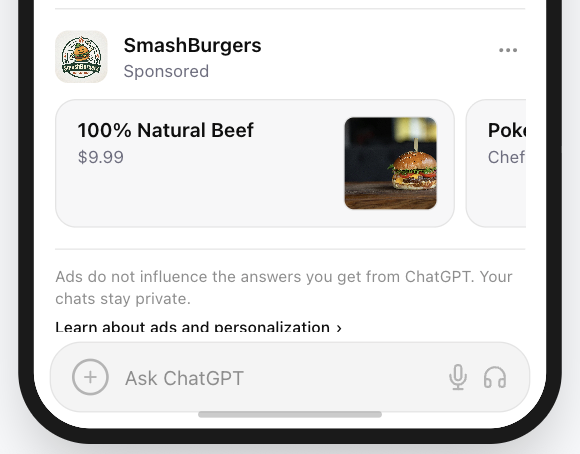
Unlike traditional display ads or social media banners, ads inside AI chat interfaces are compact, contextual, and integrated directly into the conversation flow. People in a chat interface are typically solving a problem rather than passively browsing. They are looking for answers, tools, products, and solutions.
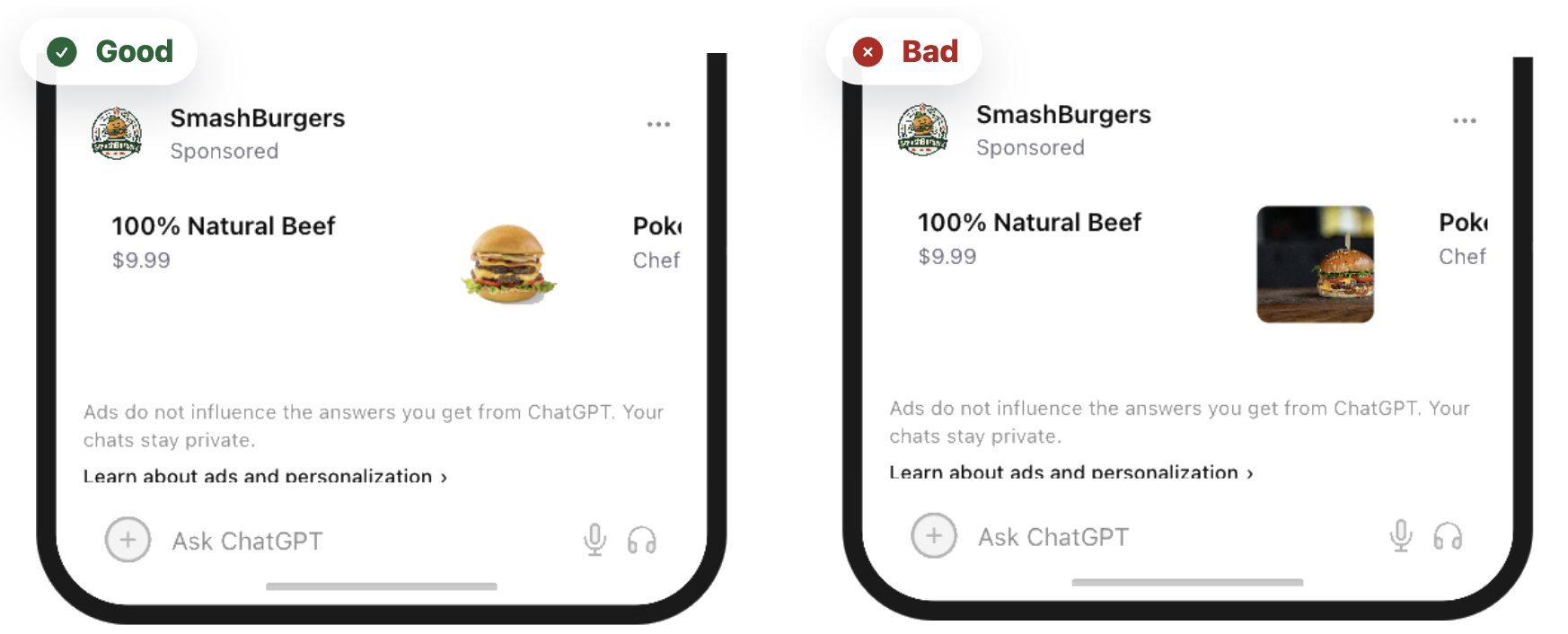
That makes the image a micro-visual: a compact visual signal that has to communicate meaning quickly inside a text-heavy environment. The exact placement can evolve, but the image commonly works alongside a short headline and a sponsored label. It becomes the visual anchor for the ad.
Core principle: the image should feel like a useful recommendation, not visual clutter. It must help the shopper recognize the product or use case before it asks for attention.
How we built this guide
This guide combines PAICAds creative reviews in our Ad Preview Tool, interface-pattern analysis for conversational placements, and established UI guidance on icon clarity, contrast, and masked safe zones.
A cluttered, blurry, or visually noisy image is easy to skip. A well-chosen micro-visual feels like a natural continuation of the answer while keeping the product recognizable. Designing that experience requires a specific creative skill: micro-visual design.
The Shift From Display Ads to Conversational Ads
Display and conversational placements create different design pressures. The patterns below are common tendencies, not rules for every format or campaign.
| Design factor | Traditional display tendency | Conversational placement tendency |
|---|---|---|
| Creative pressure | Often captures attention or tells a story | Often supports quick recognition |
| Visual toolkit | Richer photography or illustration | Simpler product or use-case cues |
| Footprint | Formats vary by channel | Compact, text-heavy footprint |
| User context | Browsing or content-consumption context | Question or task context |
Both approaches can tell a story and help someone recognize a useful product. The balance changes when the placement is small and surrounded by an answer. Clarity gives creativity room to work.
Evaluate each asset in the interface, not only as a standalone mockup. A square image that looks polished in a design file can still fail beside a short headline, a sponsored label, and a dense answer block.
7 Design Principles for Effective Conversational Micro-Visuals
About the examples: these are illustrative PAICAds mockups, not live campaign screenshots. Interface details may evolve, so use the comparisons to understand each design principle and verify the finished asset in the current placement before launch.
1. Hyper-Minimal Composition (The Signal Rule)
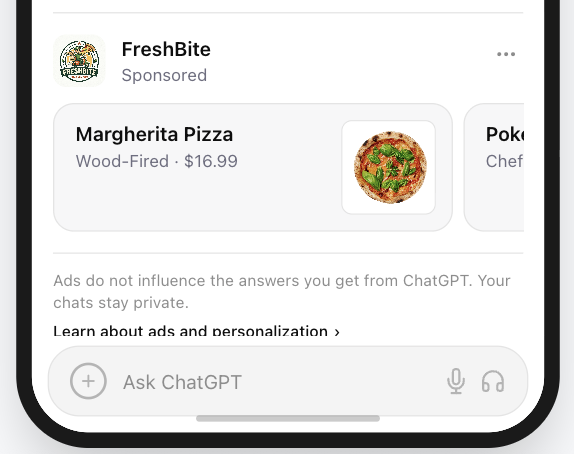
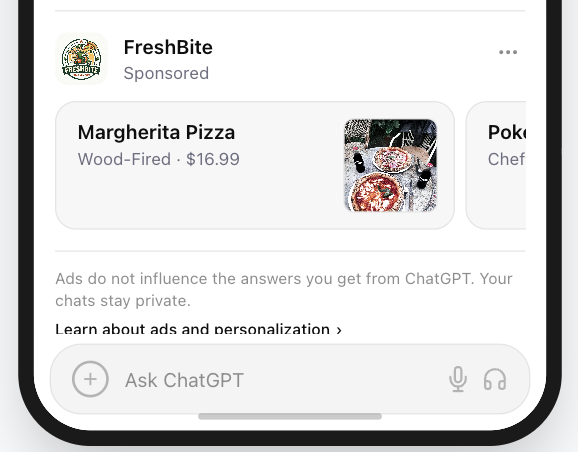
In conversational ads, the image acts as a micro-visual, not a complete visual story. At small sizes, complex compositions collapse into noise and important product details become unreadable.
Effective micro-visual design usually includes:
- One recognizable object or product
- Bold shapes
- High contrast
- Simple geometry
When in doubt, remove elements until the core signal remains.
Google's Material Icons guidance describes simple, minimal forms optimized for clarity at large and small sizes. The same principle applies when an ad image has a tight visible area.
Keep one clear signal
2. Design for Light Mode and Dark Mode
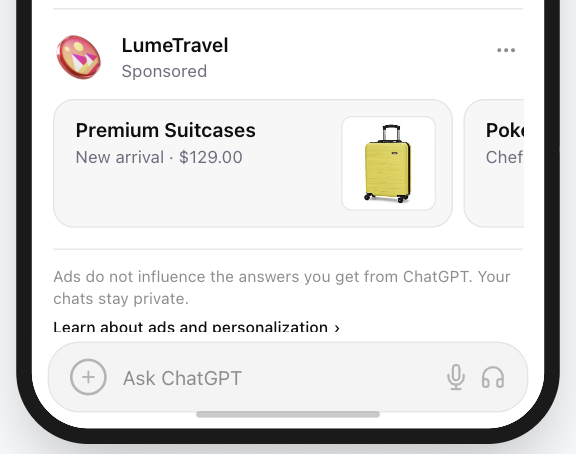
ChatGPT and many AI chat interfaces support both light and dark themes. Images that depend on transparent backgrounds or low-contrast colors can disappear against one of them.
Common failure modes include:
- A white subject on transparency fading into Light Mode
- A black subject on transparency fading into Dark Mode
Place the subject inside a solid background container: a saturated brand color, a dark neutral, or another high-contrast block. The goal is one treatment that remains clear in both themes, not a separate patch for each.
This follows the foreground/background separation described in Google's light and dark icon treatments.
Check both interface themes
3. Pass the Silhouette Test
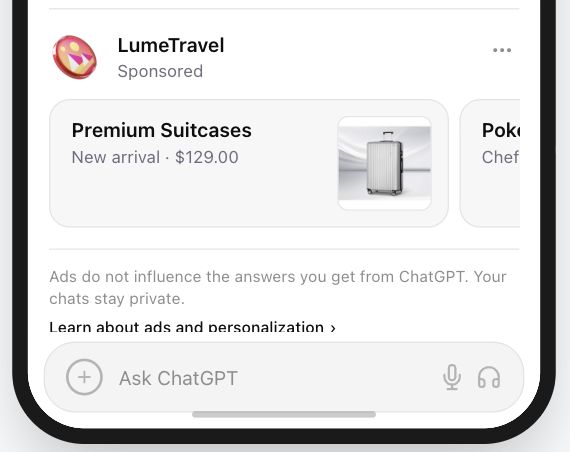
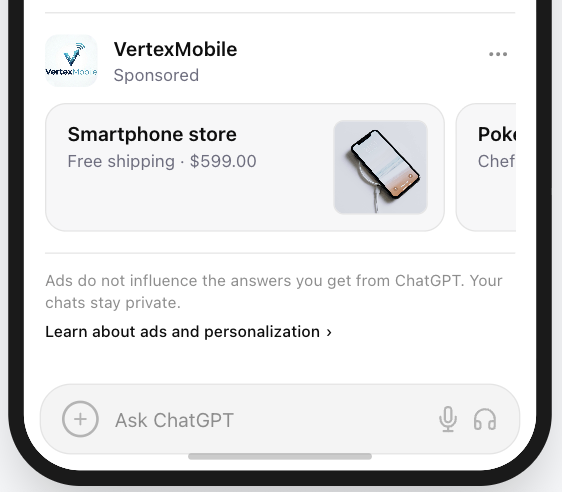
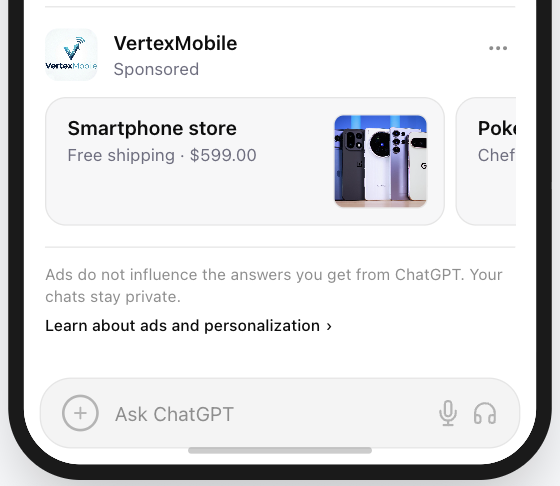
A strong micro-visual remains recognizable even after its fine internal details disappear. At small sizes, people often perceive the overall shape before anything inside it.
To test the silhouette:
- Convert the subject into a solid black shape.
- Remove all internal detail.
- Ask whether the product or object can still be recognized from its outline.
A magnifying glass, calculator, chat bubble, shield, or lightning bolt can retain meaning through shape alone. Dashboard screenshots, detailed illustrations, complex multi-element marks, and many photographs depend on internal detail and can become harder to identify.
Protect the recognizable outline
4. Use Color for Recognition Signals
Color can help people interpret an image before they have read the surrounding text. Familiar interface associations can add a useful signal:
| Color | Common association |
|---|---|
| Blue | Trust, security, reliability |
| Green | Productivity, progress, success |
| Orange | Alerts, attention, urgency |
| Purple | Creativity, AI tools, innovation |
| Red | Errors, warnings, urgency |
These associations are contextual rather than universal, so validate them against the product and brand. Semantic color should never reduce readability or contrast.
Give color a job
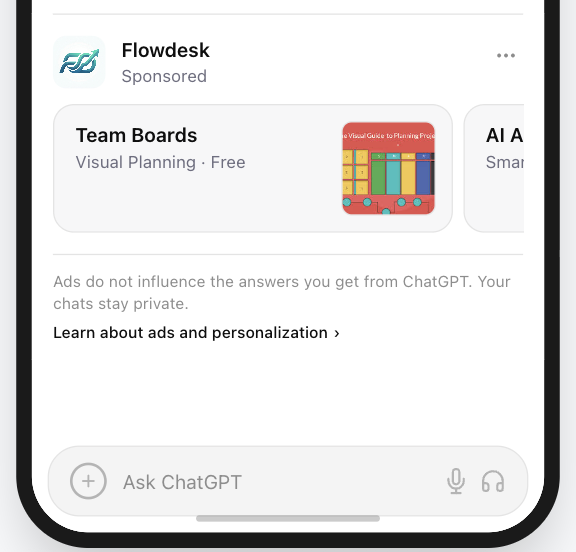
5. Design Color for Contrast and Legibility
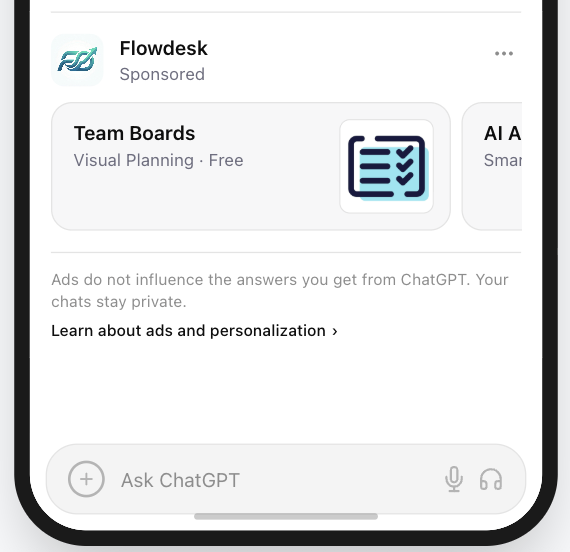
Chat layouts often use white, light gray, beige, or dark neutral backgrounds. Light and pastel visuals can blend into those surfaces. The practical design benchmark is clear separation, not strict brand-color purity. WCAG 1.4.3 applies specifically to text and images of text; its contrast rationale is a useful analogy when judging tiny labels or text embedded in a creative. The W3C's WCAG contrast guidance explains why text and images of text are difficult to read when foreground and background values are too close.
Foreground vs. background
Separate two visual layers:
- Foreground: the product, symbol, or object that communicates meaning.
- Background: the container that keeps the foreground visible.
A white subject on a dark or saturated container is a reliable pattern. A pale subject on a pale background is not.
Separate foreground from background
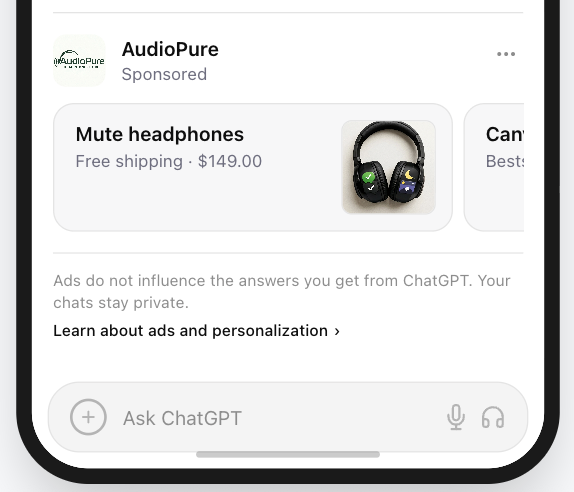
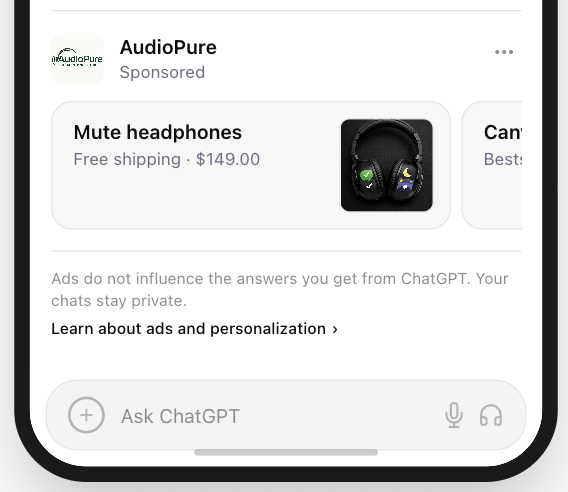
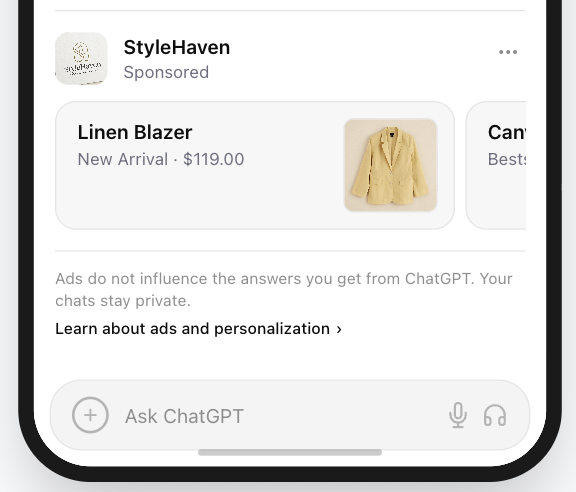
The beige interface problem
Soft beige, sand, and cream interfaces can make pale yellow, cream, and other very light image colors difficult to see. Use a darker or more saturated container, preserve separation around the subject, and do not rely on light colors alone. If a brand color is too light, keep it on the subject and introduce contrast around it.
Test against warm neutral surfaces
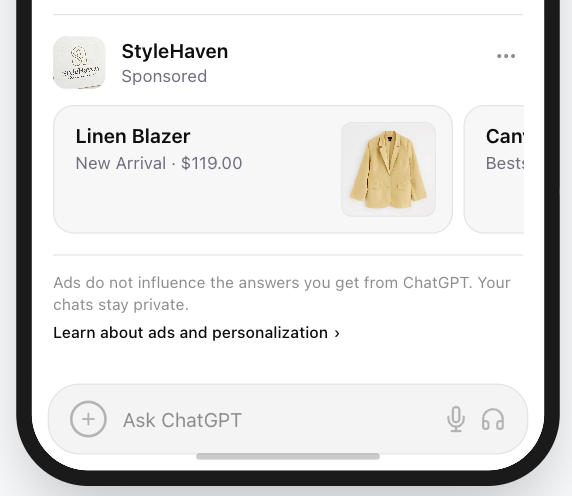
6. Consider Using Text Inside the Ad Image
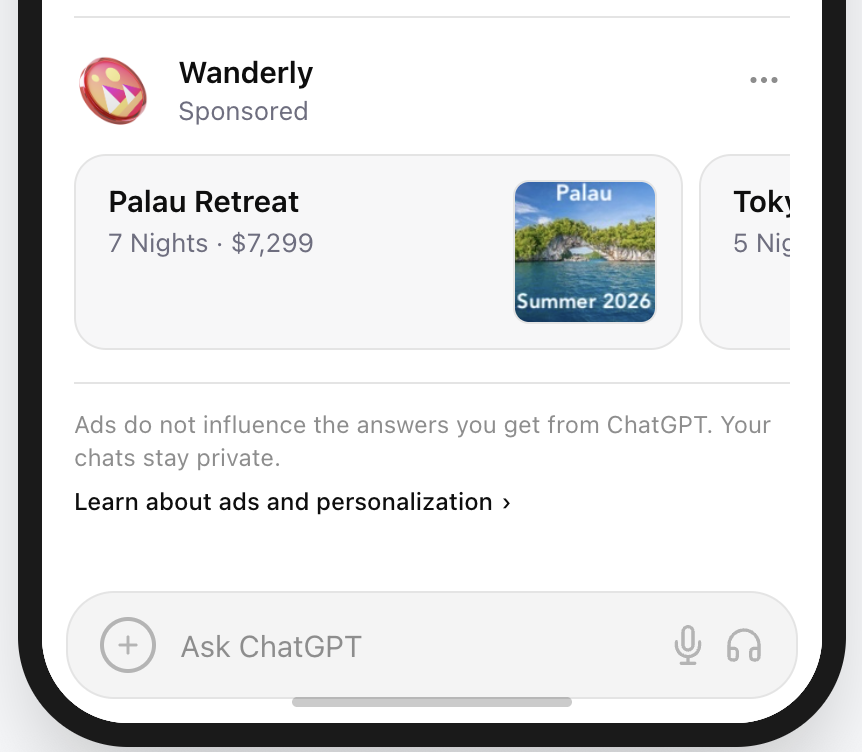
Text inside an image is optional. Used carefully, a very short line can reinforce the offer, clarify the category, or add a compact action cue. At micro sizes, people scan instead of reading, so the text must remain short and immediately clear.
Effective text inside an ad image should:
- Contain one to three words
- Communicate one offer, action, or theme
- Support recognition rather than replace the headline
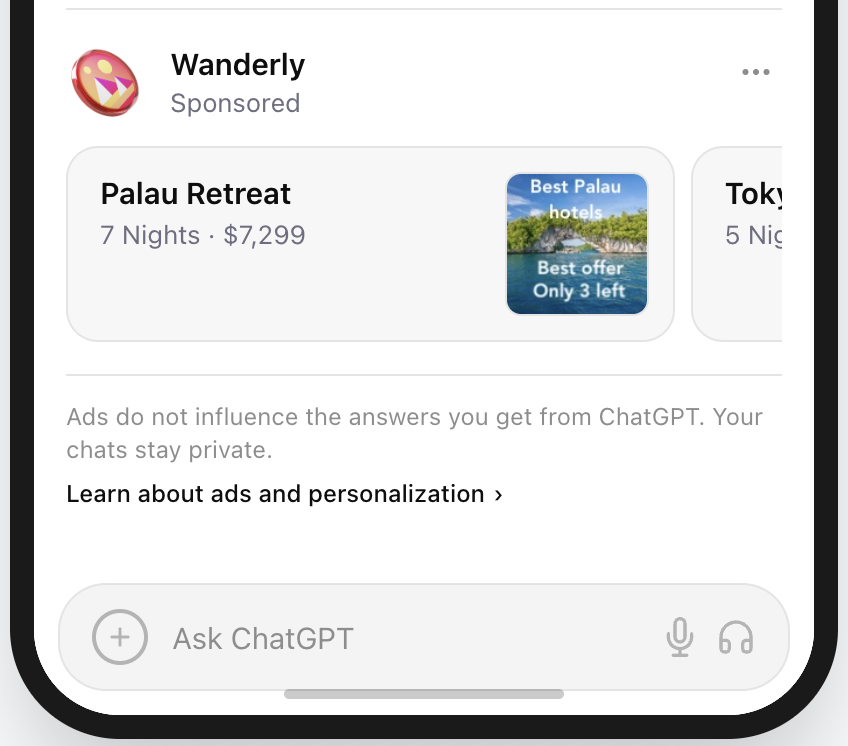
- Feel useful instead of noisy or overly promotional
Examples include "50% off," "Your new look," "Summer 2026," or "Try free." Avoid long slogans, several competing claims, dense promotional badges, or anything that takes more than a glance to understand.
Short text can provide another recognition signal, but it should be validated in the finished placement. Once it becomes aggressive, crowded, or low-contrast, it starts behaving like clutter.
Keep supporting text scannable
7. Design for the Circular Mask (The Safe Zone)
Some conversational interfaces display square image assets inside circular or rounded containers. Corners may be cropped automatically, so critical content needs breathing room.
Use generous, even padding as a conservative starting margin, then preview the asset with the actual mask before launch.
Android's adaptive icon guidance uses the same safe-zone idea: protect the important foreground so it remains legible when different masks are applied.
Start with a square canvas, center the subject, and leave balanced padding. Do not place essential text, product features, or brand marks near the corners.
Protect the center safe zone
Should You Use Your Logo as the Ad Image?
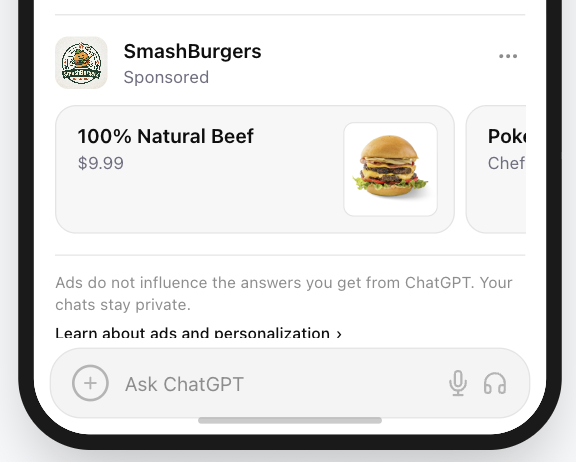
For most brands, a product or use-case cue is the stronger starting point. A detailed logo or wordmark can be difficult to read when rendered inside a compact placement. An iconic, simple brand mark is the exception.
Logo vs. ad image: what is the difference?
A logo identifies the brand. An ad image signals the product, function, or use case. People working through a problem usually scan for a solution before they study the brand behind it.
| Element | Purpose | Typical design |
|---|---|---|
| Brand logo | Identifies the company | Wordmark, detailed mark, or full identity |
| Ad image | Signals the product's function | Simple product, object, or use-case cue |
A logo answers, "Who made this?" An ad image answers, "What does this help me do?" If the company is clear but the offer is not, the logo is doing its job while the ad image is not.
Why product cues can be easier to recognize
Fine details and multiple logo elements lose clarity at small sizes. A function-based cue can communicate the solution with less interpretation. For a query about calculating taxes, for example, an unfamiliar company logo says little; a calculator immediately signals the job to be done.
When a logo does work
A logo can work when:
- The mark is extremely simple
- The brand symbol is already widely recognizable
- The logo behaves visually like a compact app-style badge
Marks such as Apple, Nike, Spotify, and Slack illustrate the pattern: each retains a distinctive shape or color treatment without depending on a long wordmark. Even then, recognition should be checked at the size and against the surface where the ad will actually appear.
For most brands, start with the product cue and keep branding secondary. When the choice is not obvious, use the free preview tool to compare both treatments inside the placement rather than judging them in isolation.
ChatGPT Ad Image Design Checklist
Before launching a conversational ad campaign, review the image against these checks at its real rendered size.
Clarity
- The image represents one clear product, object, or symbol.
- The silhouette remains recognizable without internal details.
- The image passes a small-size recognition test.
Simplicity
- The composition avoids unnecessary detail.
- The main signal uses bold, simple shapes.
Contrast
- The foreground clearly separates from the background.
- The image remains visible in Light Mode and Dark Mode.
- The treatment does not rely on very light or pastel colors alone.
Layout
- The image is centered on a square 1:1 canvas.
- Important elements remain inside the central safe zone.
- The image stays readable inside a circular container.
Function
- The image communicates what the product does, not only the brand.
- The visual still makes sense before the headline is read.
- Any supporting text remains short and legible in the finished placement.
A checked list is a useful starting signal, not proof of performance. Verify the finished creative in context, test it with real shoppers, and retain the product-recognition choices that survive both checks.
The PAICAds Ad Preview Tool
The PAICAds Ad Preview Tool shows how an ad image, headline, and sponsored treatment work together inside the interface. Use it to check scale, contrast, mask safety, and product recognition before a campaign goes live.
For teams managing product catalogs, explore the PAICAds workflow for structuring product groups and creating product-faithful variations. If you want a second pair of eyes on the creative direction, book a demo.
Sources and Further Reading
Next step
Want help turning these ideas into product ads?
Start with the free preview tool to evaluate the image in context. Then see how PAICAds supports the product workflow or book a demo for creative review, campaign structure, and launch planning.